Printcart POD on Wix is free to install. Premium is $29 per month ($25 per month billed yearly) and adds watermark-free previews, AI background removal, premium templates and priority support. Upgrade from Plan & Billing; Wix handles the payment.
Key takeaways
Before you start
- Printcart POD installed on your Wix site.
- A Wix payment method if you plan to upgrade.
Check, compare and upgrade, step by step
Step 1Open Plan & Billing
Click Plan & Billing at the bottom of the menu. The top card (1) shows your current plan and, for paid plans, the renewal date. Payment history (2) lists every charge with its invoice reference; on a new install it says No payments yet.
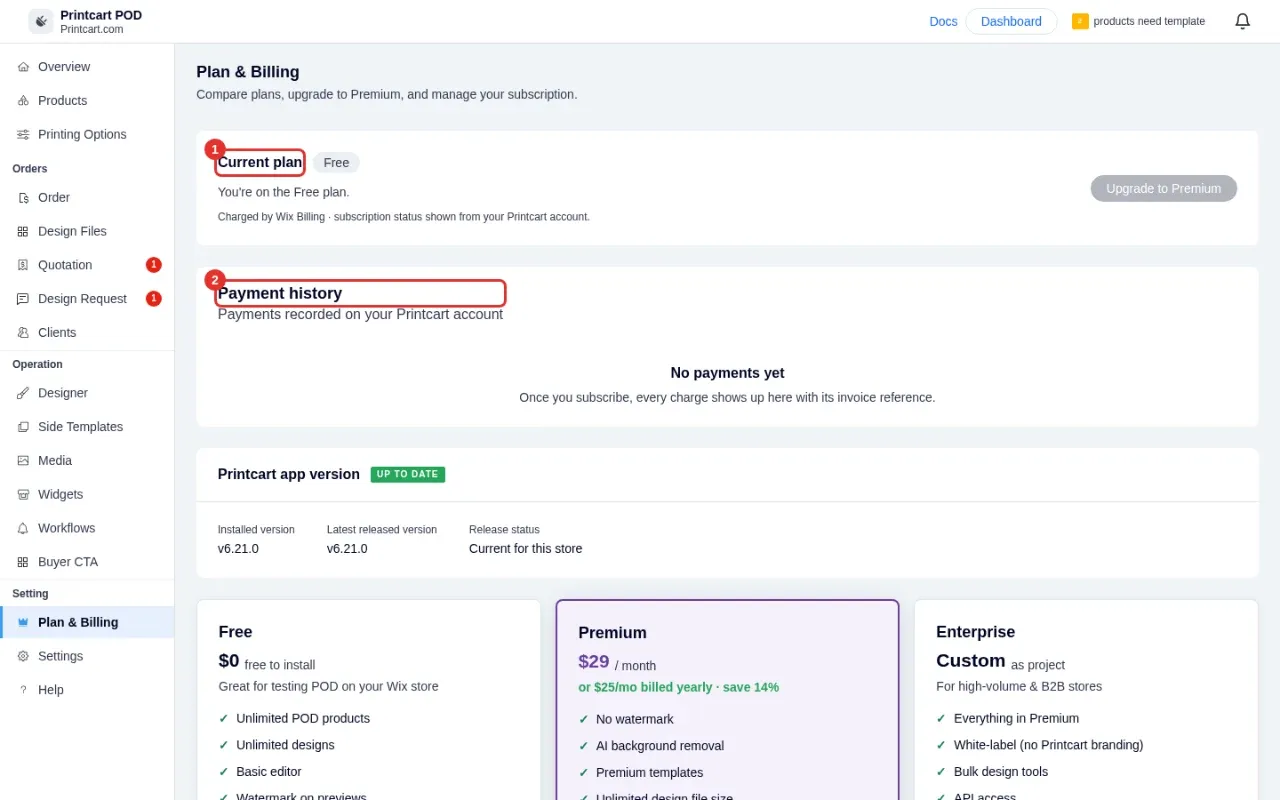
Expected result: You see your current plan name.
Step 2Read the plan cards
Free costs $0 and includes unlimited POD products and designs, the basic editor, a watermark on previews and email support. Premium is $29 per month, or $25 per month billed yearly, and removes the watermark and adds AI background removal, premium templates, unlimited design file size and priority support. Enterprise is custom-priced for high-volume and B2B stores: click Contact sales.
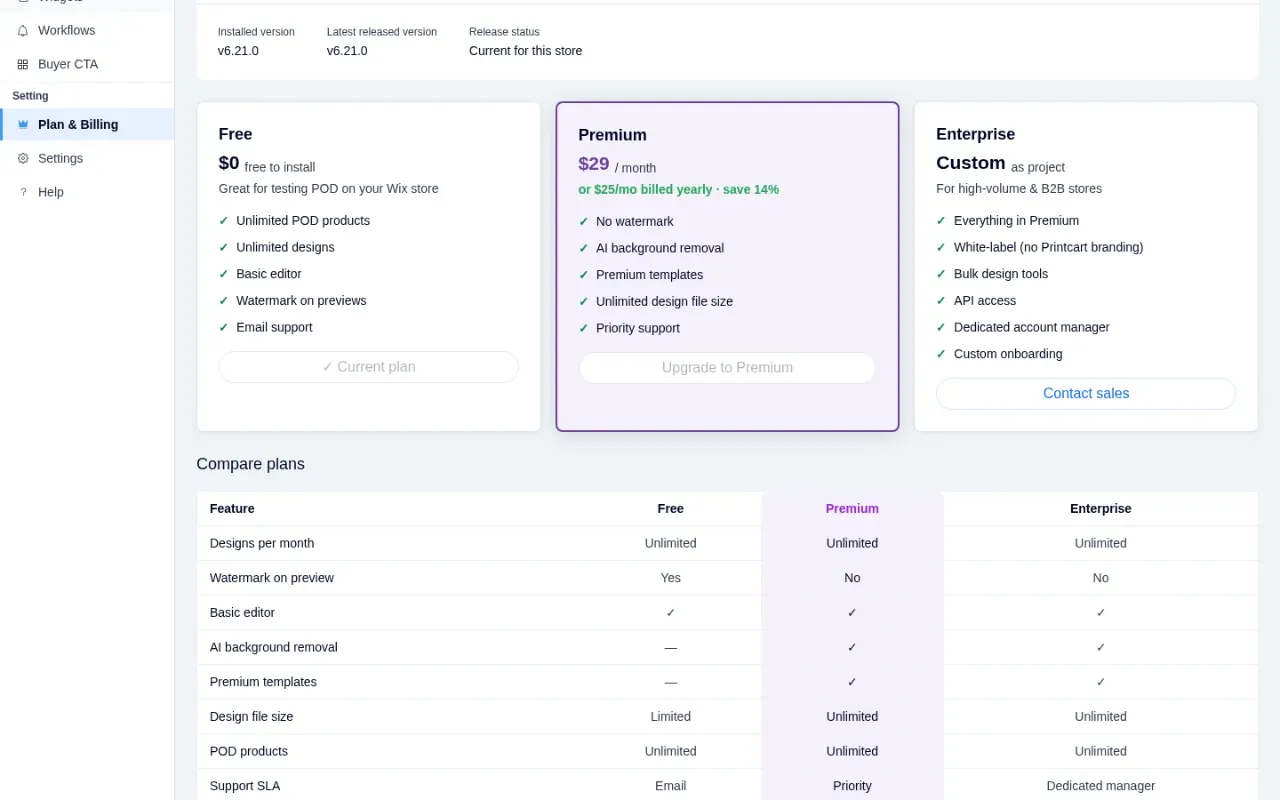
Expected result: You know which plan fits your store.
Step 3Compare features side by side
Scroll to Compare plans for the full table: designs per month, watermark on preview, editor, AI background removal, premium templates, design file size, support level, and the Enterprise-only items such as API access and white-label.
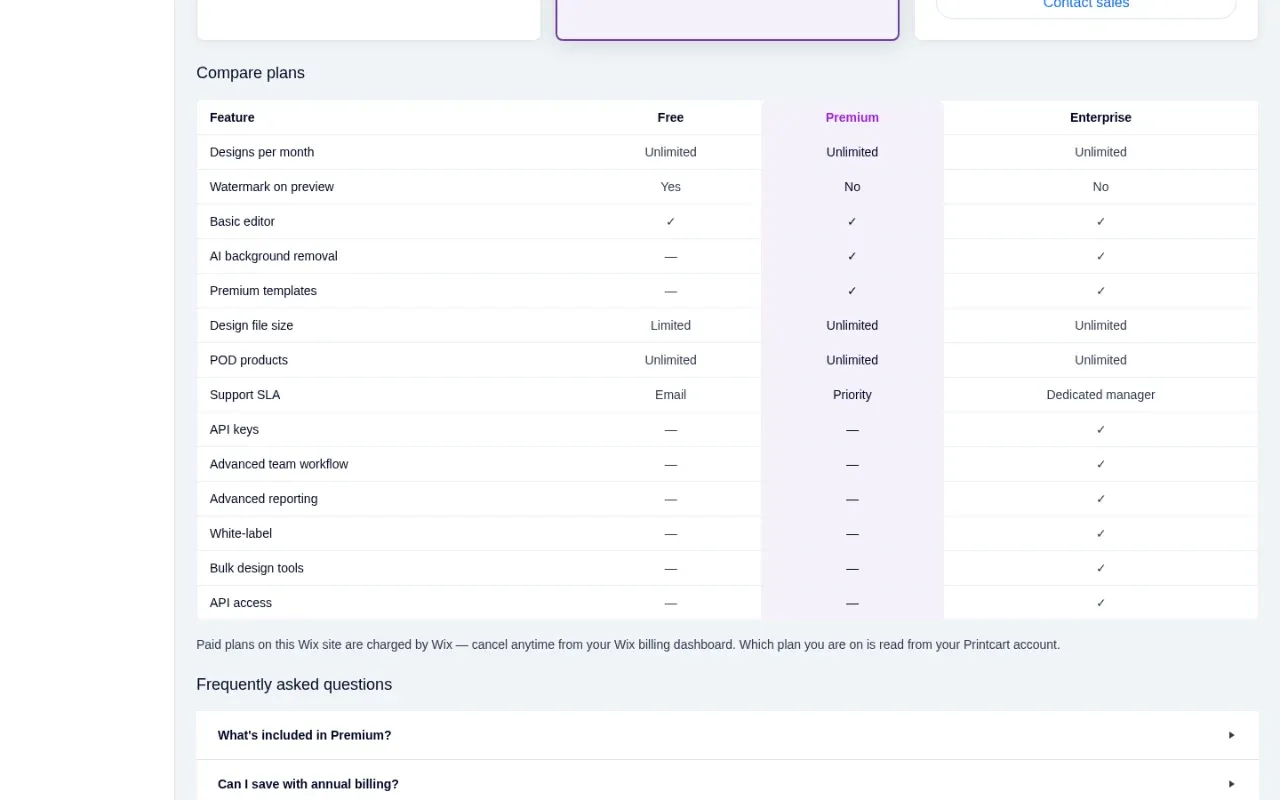
Expected result: The Premium column is highlighted.
Step 4Check your plan from the Overview
The Your plan card on the Overview page always shows the current plan and an upgrade button, so you can check it without opening Plan & Billing.
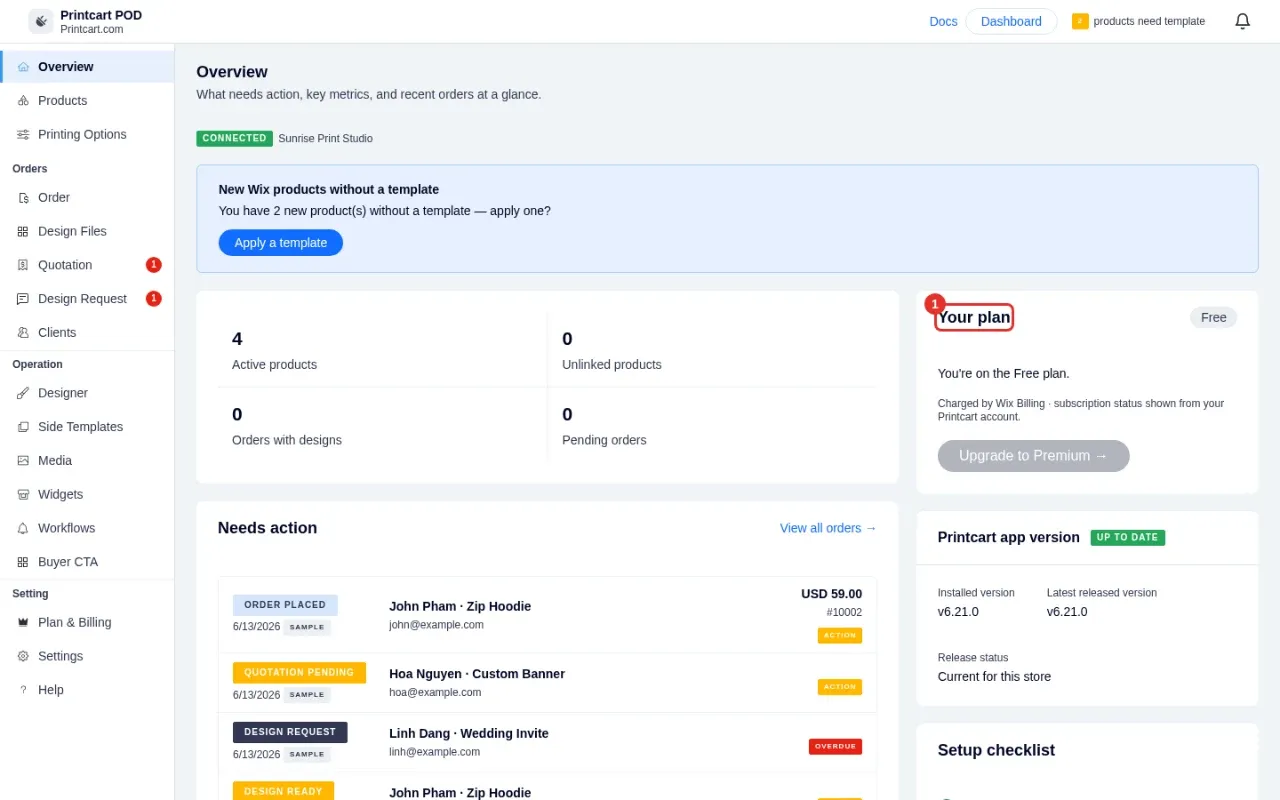
Expected result: The badge matches the plan on Plan & Billing.
Step 5Upgrade to Premium
Click Upgrade to Premium. Wix opens its own checkout for the app, because payments for Wix installs are collected by Wix. Choose monthly or yearly billing, confirm your Wix payment method and complete the purchase.
Wix shows its own checkout page for the app, where you choose monthly or yearly billing and confirm your payment method.
Expected result: Wix confirms the purchase and sends you back to your dashboard.
Step 6Confirm that Premium is active
Return to the Printcart POD tab. The plan status refreshes when you come back to the page. Current plan now reads Premium with the price, the renewal date and the start date, and Payment history lists the invoice with a PAID status.
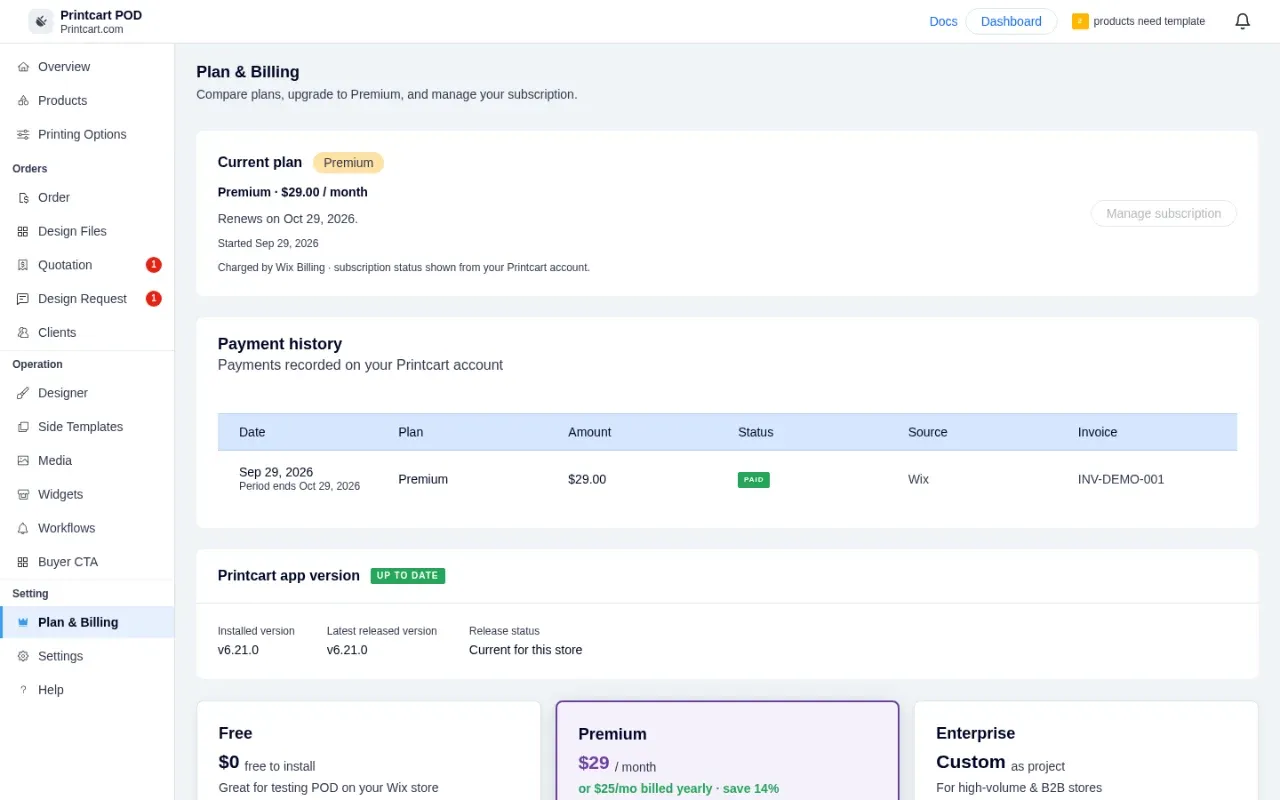
Expected result: Premium features such as watermark-free previews are available.
Step 7Manage or cancel your plan
Because Wix collects the payment, you manage the subscription from your Wix billing dashboard, where you can change the plan or cancel at any time. A cancelled plan keeps its Premium features until the paid period ends. Printcart reads your plan from your Printcart account, so the dashboard updates on its own.
Expected result: Your plan changes are reflected in Plan & Billing.
Step 8Get help with pricing or Enterprise
The Help page and the footer of Plan & Billing list our support email and a WhatsApp link. Talk to us before you buy if you need Enterprise features, custom onboarding or API access.
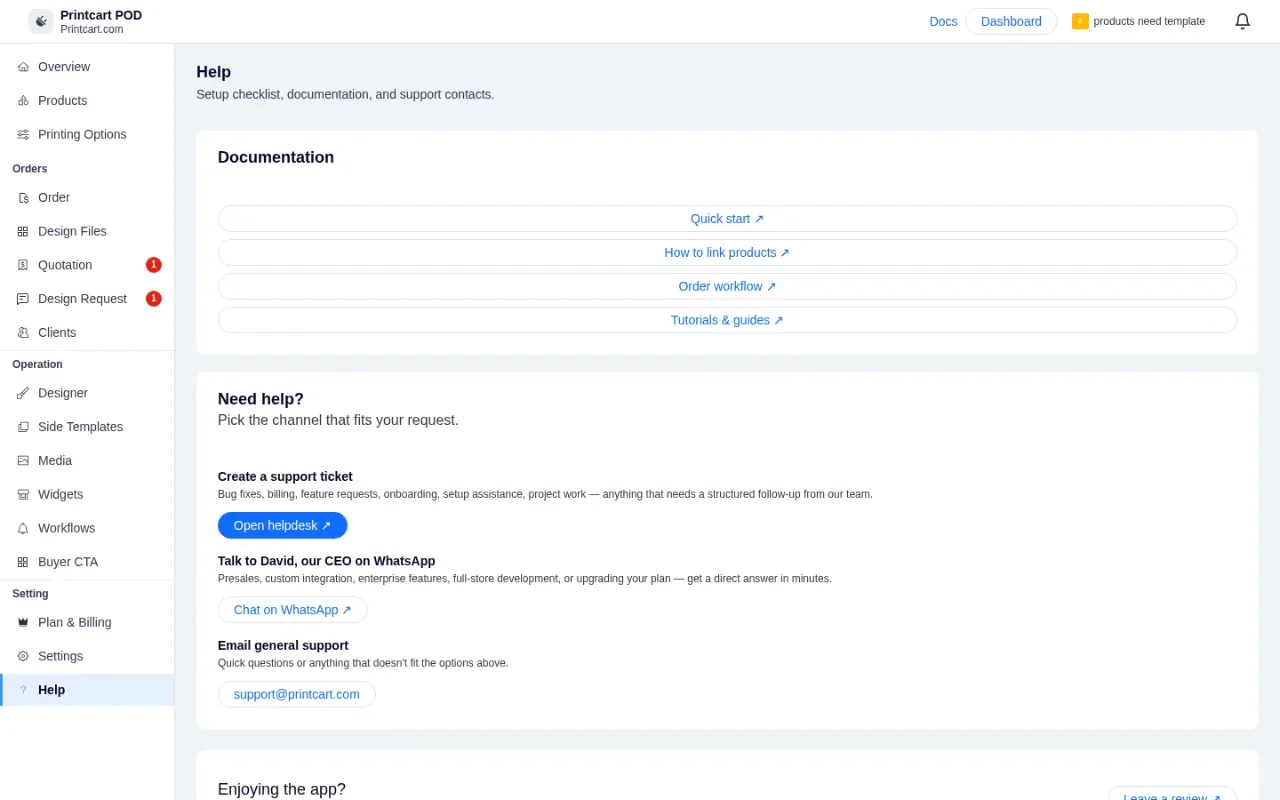
Expected result: You have the contact options you need.
Who charges me for Premium on Wix?
Wix collects the payment for Wix installs. Printcart shows the plan and payment history read from your Printcart account.
Can I cancel Premium anytime?
Yes. Cancel from your Wix billing dashboard. A cancelled plan keeps Premium until the end of the paid period.
Next steps
- Install Printcart on Wix and connect your store
- Create your first customizable product on Wix
- See app subscriptions in the Printcart dashboard
- Printcart integrations guide
Need help?
Message us on WhatsApp at +84 937 869 689 or email [email protected]. Tell us your Wix site name and which step you are on.
Printcart field note
What to verify before you roll out Printcart Plans on Wix: Compare Free and Premium and Upgrade
This tutorial is written from Printcart implementation patterns across web-to-print launch planning, buyer experience, and repeatable production. Before treating it as complete, test the workflow with one real product, one real design file, and one real order path.
Printcart Plans on Wix: Compare Free and Premium and Upgrade — common questions
Who charges me for Premium on Wix?
Wix collects the payment for Wix installs. Printcart shows the plan and payment history read from your Printcart account.
Can I cancel Premium anytime?
Yes. Cancel from your Wix billing dashboard. A cancelled plan keeps Premium until the end of the paid period.
Need help?
Message us on WhatsApp at +84 937 869 689 or email [email protected] . Tell us your Wix site name and which step you are on.
Next steps in Printcart
Connect printcart plans on wix: compare free and premium and upgrade with catalog setup, templates, production workflows, and implementation support.
Want to put printcart plans on wix: compare free and premium and upgrade into practice?
Use the related Printcart tool below, or create a free account to start building with the product designer.